
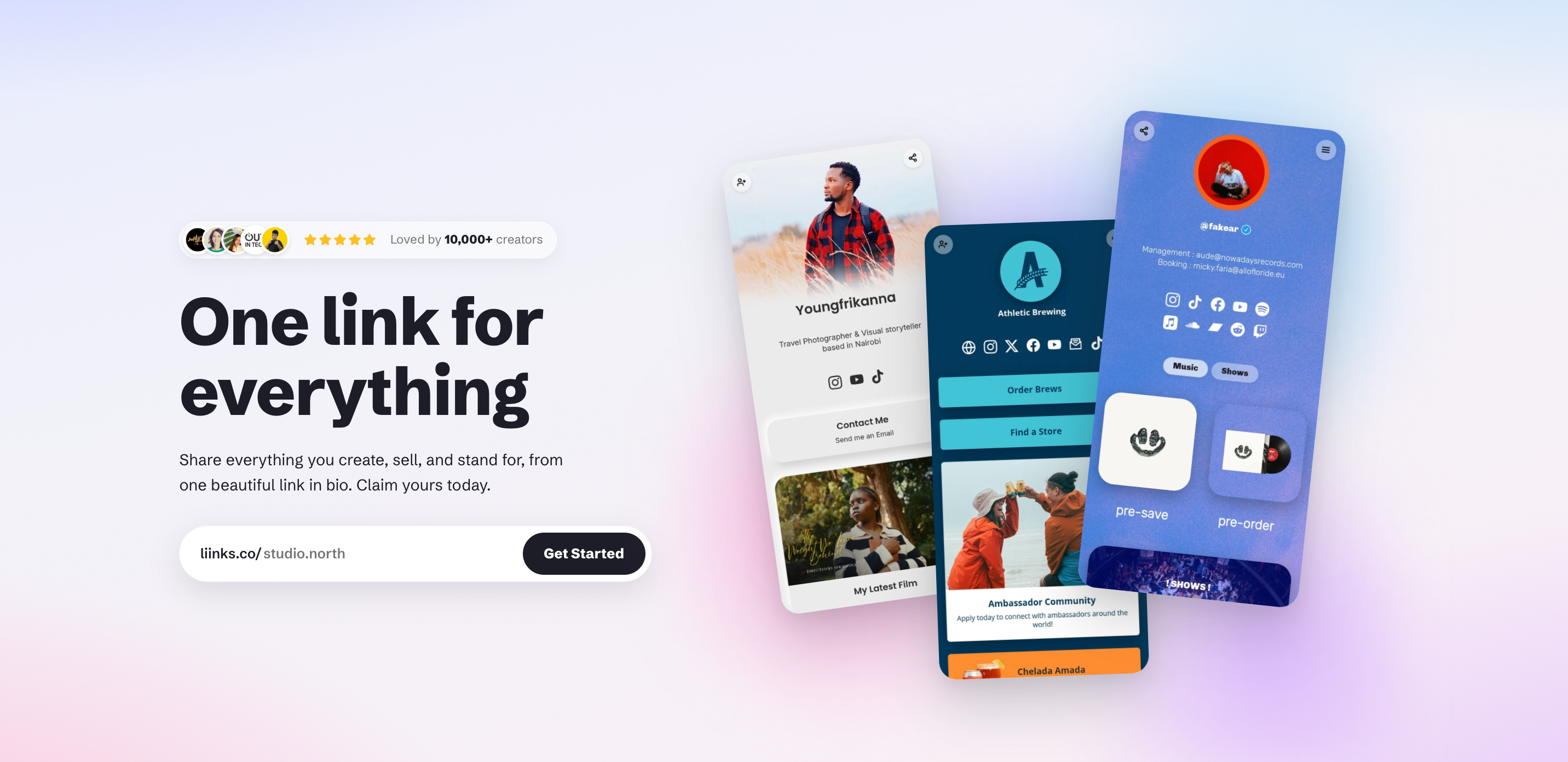
Liinks is a link in bio and mini site builder running since 2020. Instead of a list of buttons, pages are built from blocks that can hold video, audio, files, forms and mailing list signups, organised into folders and tabbed pages. This review covers what the blocks do, the Instagram sync that keeps a page current on its own, what the $5 plan includes next to Linktree, and the significant thing Liinks does not do at all.
Quick Answer
The bio link started as a workaround. One field, one URL, and a platform that would not let you put anything else in it. A list of buttons was a perfectly good answer to that.
It stops being a good answer somewhere around the eighth button. By then you have a shop, a mailing list, a podcast, three videos worth watching, a rate card, a booking page and something you released last week that matters more than the rest, all sitting in an undifferentiated column that a visitor scrolls past.
Liinks is built for the point where the list stops working. It has been running since 2020, and its answer is that one URL should be able to hold everything without becoming a scroll.
This review is based on the live site and material the company provided. We did not build a page on it, so nothing here is a verdict on how the editor feels in daily use.
What one link can actually hold
Blocks, not links, and the difference shows up quickly.
Links are the foundation and they come with image, emoji or icon thumbnails, laid out as a grid, a carousel or a highlight rather than a stack. Beyond that:
- Audio, video and media embeds, so a YouTube video or a Spotify track plays on the page rather than sending somebody away from it
- Rich text, for the paragraph that explains who you are before anyone taps anything
- File downloads, so a PDF menu, a rate card or a press kit lives on the page instead of behind a Dropbox link
- A mailing list block, capturing emails directly rather than routing through a form somewhere else
- A form block with configurable fields, which is the one most people will not expect, because it collects structured answers rather than just an address
That last pair is the practical difference between a page that points at things and a page that does something. A booking enquiry, a project brief, a class signup: all of that can happen on the page, and none of it fits in a list of buttons.
Where it stops being a link list
Two features do the real work here, and neither is available on the obvious competitor.
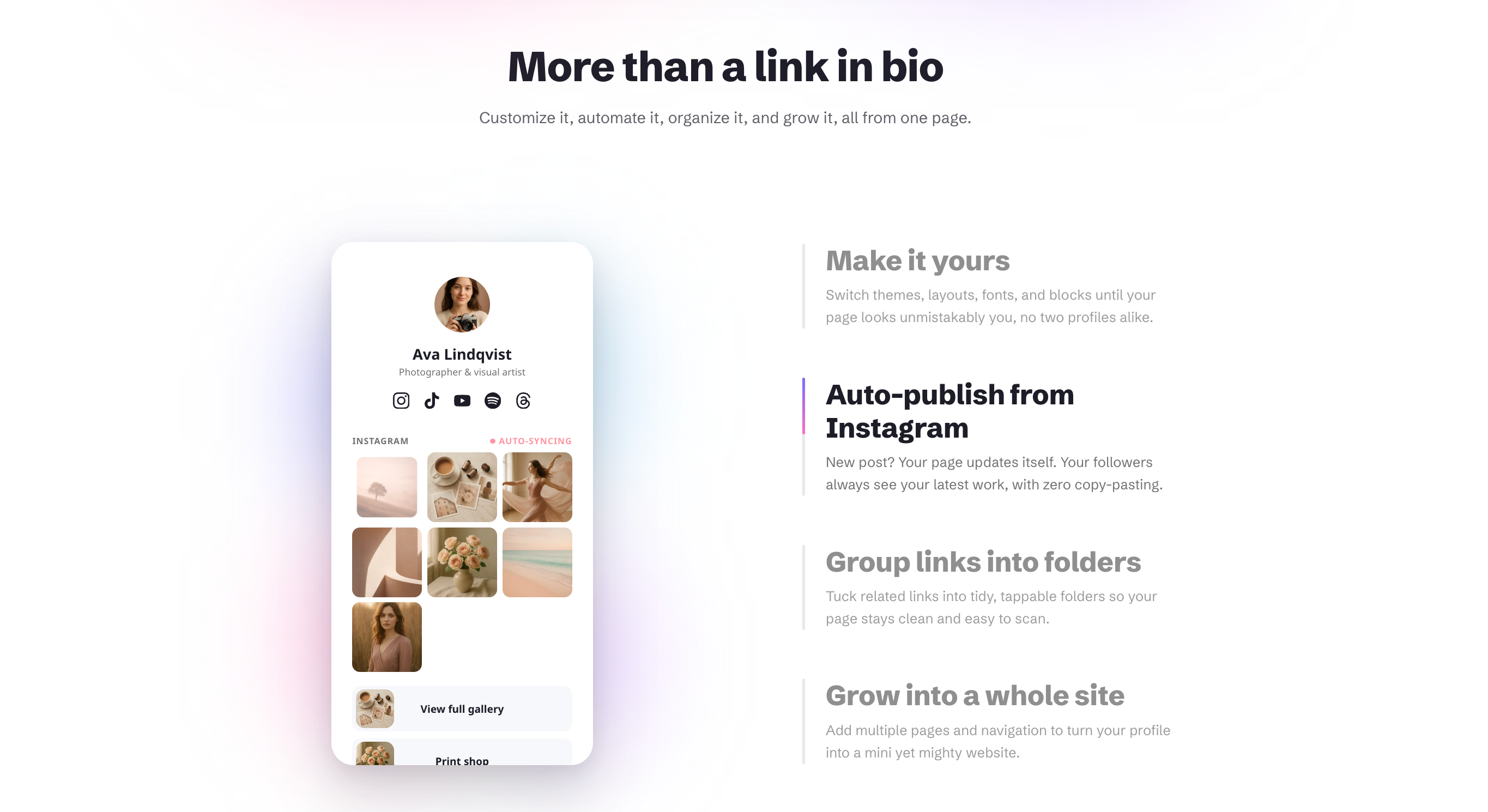
Folders group related blocks into something collapsible. Twelve links become four headings, and everything is still one tap away. The page reads as short while holding as much as it did.
Multi-page navigation adds tabs across the top, so Home, Shop and Classes become separate pages under a single URL. That is the moment it stops being a bio link and becomes a small website that happens to fit on a phone.
Put those together with the block types above and the honest description is a one page site builder with a very short setup time. For a lot of people that is the whole appeal: a real web presence without commissioning one.
Making it look like yours
Styling goes deeper than the category norm. Fonts, colours, backgrounds, gradients, border radius, section spacing and seven block animations, all rendering in a live preview as you change them.
Section spacing is a small thing to list and a large thing to have, because it is the control that stops a page looking like a template with your logo on it. The same argument we made about landing pages that could only be about your product applies at this scale too. A page a visitor recognises as yours is doing work that a default theme is not.
On the Pro plan the page can also live on your own domain, which is worth pausing on. Linktree's help centre states plainly that it does not offer custom domains and does not provide domain forwarding tools, on any plan. So this is not a case of paying more somewhere else for the same thing. One of them does it and the other does not.
The page that updates itself
The Instagram sync is the only feature here that saves work more than once, and it is the one to try first.
Connect the account and new posts flow onto the page on their own. Captions containing links become buttons automatically. If you have ever updated a bio link by hand after every post, and then forgotten to for a fortnight, that is the entire pitch and it is a good one.
QR codes sit alongside it and are more useful than they sound. They are dynamic, so you can change where a printed code points without reprinting anything, unlimited in number, and stylable with your own colours and logo. For anyone whose audience meets them in a physical room, that is the bridge from the room to the page.
Worth borrowing one point from our guide to launching a mobile app here: a bio page is often the last stop before somebody installs something, and the jump from a laptop to a phone is where most people are lost. A prominent QR code and one link that sends people to the right store fixes most of it.
Finding out what people actually tap
Analytics are on both plans and cover page views, clicks on each individual link, any date range you choose, and traffic by country and source. Facebook Pixel and Google Analytics connect if you want the numbers somewhere else.
Per-link click data is the part worth using rather than glancing at. It tells you which of your eight things anybody cares about, which is usually not the one you put at the top.
Built for people running more than one page
The Pro plan is aimed squarely at agencies and anyone managing several brands. Profiles come in packs of five, each managed profile gets its own login link so nobody shares a password, and profiles can be duplicated to set up the next one quickly.
The unusual inclusion is a public REST API for building and updating profiles from code. That is rare at this price and points at the same audience, plus anyone wiring a page into an automation. Linktree has no equivalent.
The thing it does not do
Liinks does not sell anything. No product block, no checkout, no payments, no courses, no paid downloads. The full feature table on their own pricing page has no commerce row, and that is not an oversight.
This matters because a large share of people looking for a bio link tool want a shop with links attached. Linktree sells from its free plan at 9 percent seller fees, drops that to zero on its $30 a month Premium tier, and adds an affiliate shop. If your bio link is where money changes hands, Liinks is a different tool rather than a cheaper one, and no amount of styling closes that gap.
Read the other way, it is a deliberate limit. This is a page builder rather than a shop, and it charges a flat price instead of a cut of what you make.
What it costs
Starter is $5 a month, or $48 a year, and it holds nearly everything described above: all the block types, the folders, the multi-page navigation, the full styling, the analytics, the QR codes and the Instagram sync.
Pro is $12 a month, or $120 a year, and adds custom domains, multi-profile management in packs of five, the public API and custom social share previews.
There is no free tier. You can build the whole page without paying and take as long as you like over it, then a fourteen day trial starts when you publish. Cancel any time from settings.
For comparison, using each company's own pricing page in August 2026:
| Liinks | Linktree | |
|---|---|---|
| Entry paid plan | $5 a month, or $48 a year | $6 a month billed annually, $8 monthly |
| Custom fonts, themes and layouts | Included at $5 | Pro tier, $12 a month billed annually |
| Multi-page navigation | Included at $5 | Not offered |
| Folders for organising blocks | Included at $5 | Not offered |
| Custom domain | Pro, $12 a month | Not offered on any plan |
| Selling products | Not offered | Yes, from the free plan |
| Public REST API | Pro, $12 a month | Not offered |
The short version: the styling control Linktree puts behind $12 a month is included at $5 here, and the organisational features are not available at Linktree at any price. Linktree is the cheaper option if its free tier does what you need, and it is the only one of the two that lets you sell.
Two things to know first
Pro is sold in packs of five profiles. At $12 a month that is good value if you manage pages for clients or run more than one brand, and it is worth knowing before you buy that a single user who only wants the custom domain is paying for a plan built around five.
It has been built and maintained by one person since 2020. Charlie Clark is named on the site. Six years of continuous development in a category littered with tools that were launched and quietly abandoned tells you more about whether this will still be here next year than most of what a company can say about itself.
Who it suits
If you have outgrown a list of buttons and want folders, pages and embeds instead of a longer scroll, this is the shape of tool you are looking for.
If you want the page on your own domain, the field is narrower than a price comparison suggests, because the obvious competitor does not offer it at all.
If you run pages for clients, the five-profile Pro plan, the separate login links, the duplication and the API are clearly built for you.
Who is actually using it
Liinks groups its customers into thirteen categories, and the pattern across them is worth noticing. Almost all of them are people whose work is scattered across platforms they do not own, which is exactly the problem one URL is meant to solve.
- Digital creators, influencers and bloggers, who post constantly and need the page to keep up without being edited by hand. The Instagram sync is aimed straight at this group.
- Video and photography, because embeds mean the work plays on the page rather than being another link to somewhere else.
- Musicians and performers, for the same reason, plus release dates and tour listings that change every few weeks.
- Artists and designers, where the styling controls do more work than the block count. A portfolio that looks like a template is a portfolio that has failed.
- Fitness coaches and instructors, who need a class schedule and a booking enquiry form. That is the form block rather than a button pointing at an email address.
- Real estate agents and travel businesses, where a page per listing or per destination is what multi-page navigation is genuinely for.
- Food and drink, because a PDF menu on the page and a branded QR code on the table is the entire job, and the QR code can be repointed without reprinting anything.
- Communities and non-profits, which usually have more to point at than anybody else and get the most out of folders.
- Apps, services and tech products, using the page as a light landing page with store links, which is where the QR code advice above matters most.
One category on their own list deserves a caveat. Brands and commerce is there, but with no checkout on the platform it means pointing at a shop you run elsewhere rather than selling on the page itself. That is a perfectly good use, as long as you know that is what you are buying.
If your work sits in one place and one link already covers it, none of this applies and you do not need the tool.
It suits you less if you are selling from the page, or if you want the recognition and integrations that come with the largest platform in the category. And if you have nothing to spend at all, the free channels are still where to start, and a bio page can wait a few weeks.
Questions people ask
What can you put on a Liinks page?
Links with thumbnails, audio and video embeds, rich text, downloadable files, a mailing list signup, and custom forms. Blocks can be grouped into folders and split across multiple pages with tabbed navigation.
Is Liinks just a link in bio tool?
It starts as one. With folders and multi-page navigation it becomes closer to a small website on a single URL, which is the main reason to choose it over a simpler tool.
How much does Liinks cost?
Starter is $5 a month or $48 a year. Pro is $12 a month or $120 a year and covers five profiles, adding custom domains, the public API and custom share previews. There is no free plan, but you can build your page for free and a fourteen day trial starts when you publish.
Can I use my own domain?
Yes, on the Pro plan. Linktree does not offer custom domains on any plan, according to its own help centre.
Can I sell products on Liinks?
No. There is no commerce, checkout or payment feature. If selling is the point of your page, look at Linktree's paid tiers or a dedicated storefront tool.
Does it work for agencies?
That is what Pro is for. Five profiles per pack, a separate login link for each managed profile, profile duplication and a public REST API.
Verdict
Most tools in this category treat the bio link as a shop window and charge a share of what passes through it. Liinks treats it as a page, and the question it is answering is what happens when you have too much to fit in a list.
The answer is good. Folders and tabbed pages are the two features that change what the format can carry, and neither is available on the platform most people would otherwise default to. Add embeds, downloads and real forms, and one URL can hold a whole working presence rather than a directory of somewhere else to go.
The limit is worth being straight about. Nothing here sells, so this is for people whose bio link is a front door rather than a till. For that person, at $48 a year with the styling and the organisation included and a custom domain one tier up, it does the job properly.
If you are on a Mac and you write all day, our review of Flit covers a dictation app that never sends your voice off the machine.
Want a review like this for your own product? Order a StartupBase review.
Creator Tools
No-Code
Marketing







 Continue with Google