
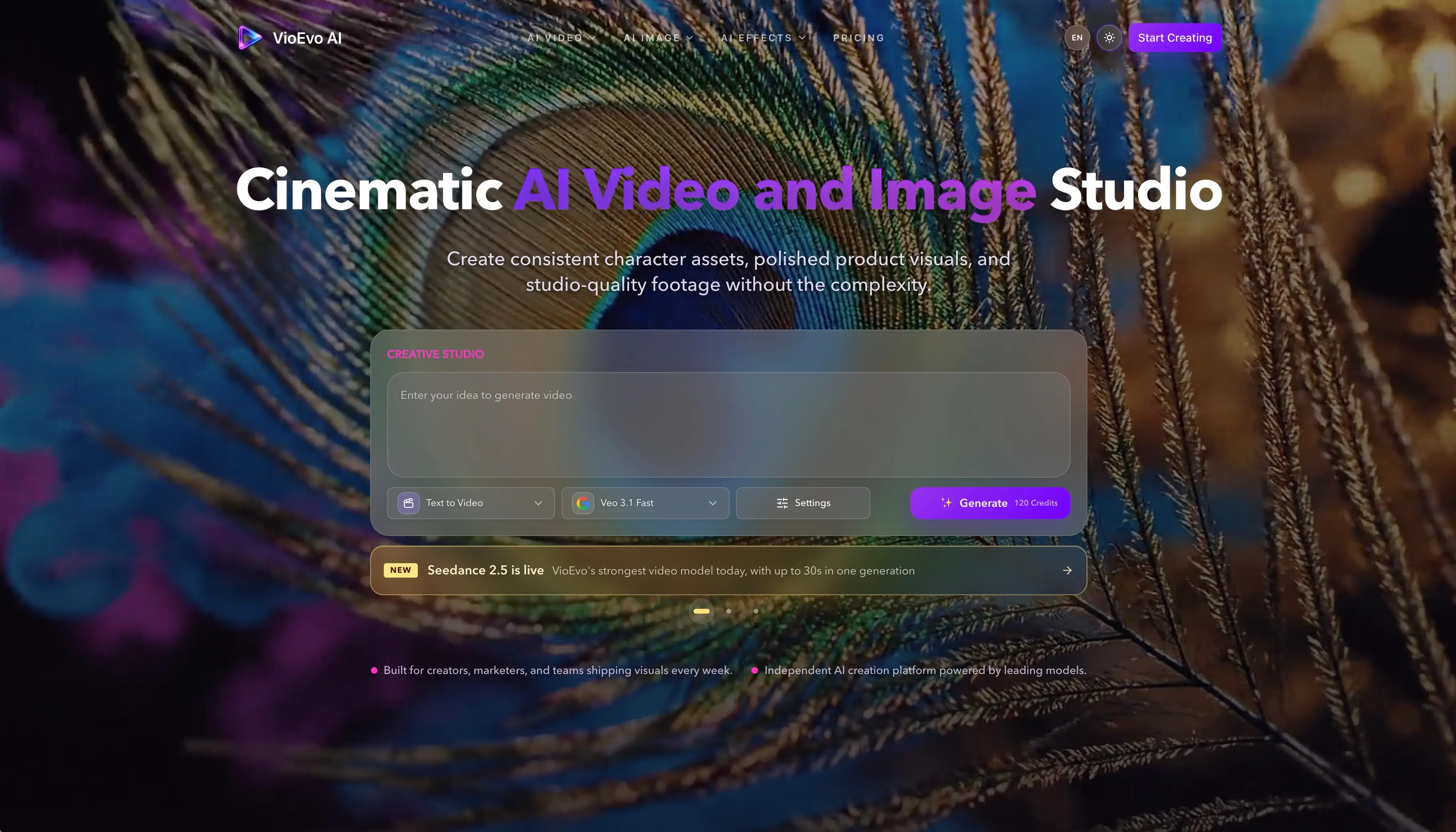
VioEvo is an AI video and image generator that gives you several models through one subscription, including Veo, Seedance, Kling, Wan, Happy Horse, MiniMax H3 and Grok Imagine. This review covers what the product is for, how its six starting points differ, what the credits buy in practice, the pose tool, and who should and should not consider it.
Quick Answer
A year ago, a list of model names was a reason to buy. If a tool had access to the good video models and its competitor did not, that settled it.
That argument is over. The companies building these models now release within weeks of each other, and almost anyone can pay for access. Google put out Nano Banana 2 in February. Alibaba put out Happy Horse 1.1 in June. Any company willing to sign the paperwork can offer the same list by the end of the month, which means the list is no longer telling you anything about the company showing it to you.
So the useful question about a tool like VioEvo is not what it can reach. It is what it does with the reach.
This review is based on the public site and its documentation. We did not create anything on the platform, so nothing below is a judgement about how good the results look. It is about what the product is, how it is built, and who it is for.
What you are actually paying for
If everyone has the same models, the difficulty moves somewhere else, and it moves somewhere fairly unglamorous: working out which one to use for the thing you are making right now.
That sounds trivial until you try it. These models are not better and worse than each other, they are good at different things. One holds a person's face steady across a long clip. One handles fast movement without the picture falling apart. One is cheap enough to try ten times, and one costs enough that you want to be fairly confident before you press the button. Nobody who does this for a living wants a favourite model. They want the right one for the shot in front of them, without paying for six subscriptions and learning six different screens.
Making that choice easy is the product. The model list is just the shelf it sits on.
Two honest consequences follow from that. The first is that this is a much better thing to sell than a model list, because it is a real problem and it is not going away. The second is that nothing stops a competitor building the same thing, since the hard engineering belongs to Google and Alibaba rather than to anyone bundling them. Whatever advantage exists here has to come from the tool being genuinely better at helping you decide, which is slower work than adding another logo to the grid and much harder to announce.
Six ways in
The clearest idea in the product is that you start from whatever you already have, rather than from an empty prompt box.
There are six ways in: text to video, image to video, video to video, reference to video, text to image, and image to image. Each has its own page, its own model options and its own controls, rather than one screen with a mode buried in a dropdown.
That is a better decision than it looks. These are not six versions of one task, they are six different jobs that go wrong in different ways. Starting from text is exploring, and you are looking for an idea you had not pictured yet. Starting from existing footage is rescuing something, and you want it closer to finished without losing what is already there. Starting from a reference is about consistency, which is the one that matters most if you are making a set of clips that all need the same character or the same product to look like itself. Separating them means each page can be about its own job instead of hedging across all six.
The three steps they describe across the site, start then adjust then create, are ordinary as copy and accurate as a description. The adjust step is where you choose the model, along with the shape, the length and the look.
Turning a photo into a clip
Of the six, starting from an image is the one most likely to pay for a subscription, and it is worth saying why.
Text to video is the thing everyone tries first and the thing least connected to paid work. Most commercial video is not an invented scene. It is a product that exists, photographed properly, that now needs to move for an ad or a landing page. The picture is already there and already approved. The job is movement, not invention.
This is the part of the product built for that. You give it a finished image and describe the motion you want, and it animates the picture while trying to keep the subject, the framing and the composition intact. That last part is the whole requirement. Nobody wants a creative reinterpretation of their product. They want the same shot, moving.
VioEvo's own description of this is unusually restrained for the category. The page lists what it keeps, meaning the subject, the composition, the framing and the scale, rather than promising to transform anything. That is the right promise for the job, and it suggests somebody there has done this work rather than only marketed it.
You can supply a start frame and an end frame rather than just a starting picture, which gives you both ends of the movement. Output goes up to 4K, in landscape or portrait, through Veo, Seedance, Kling, Wan or Grok Imagine.
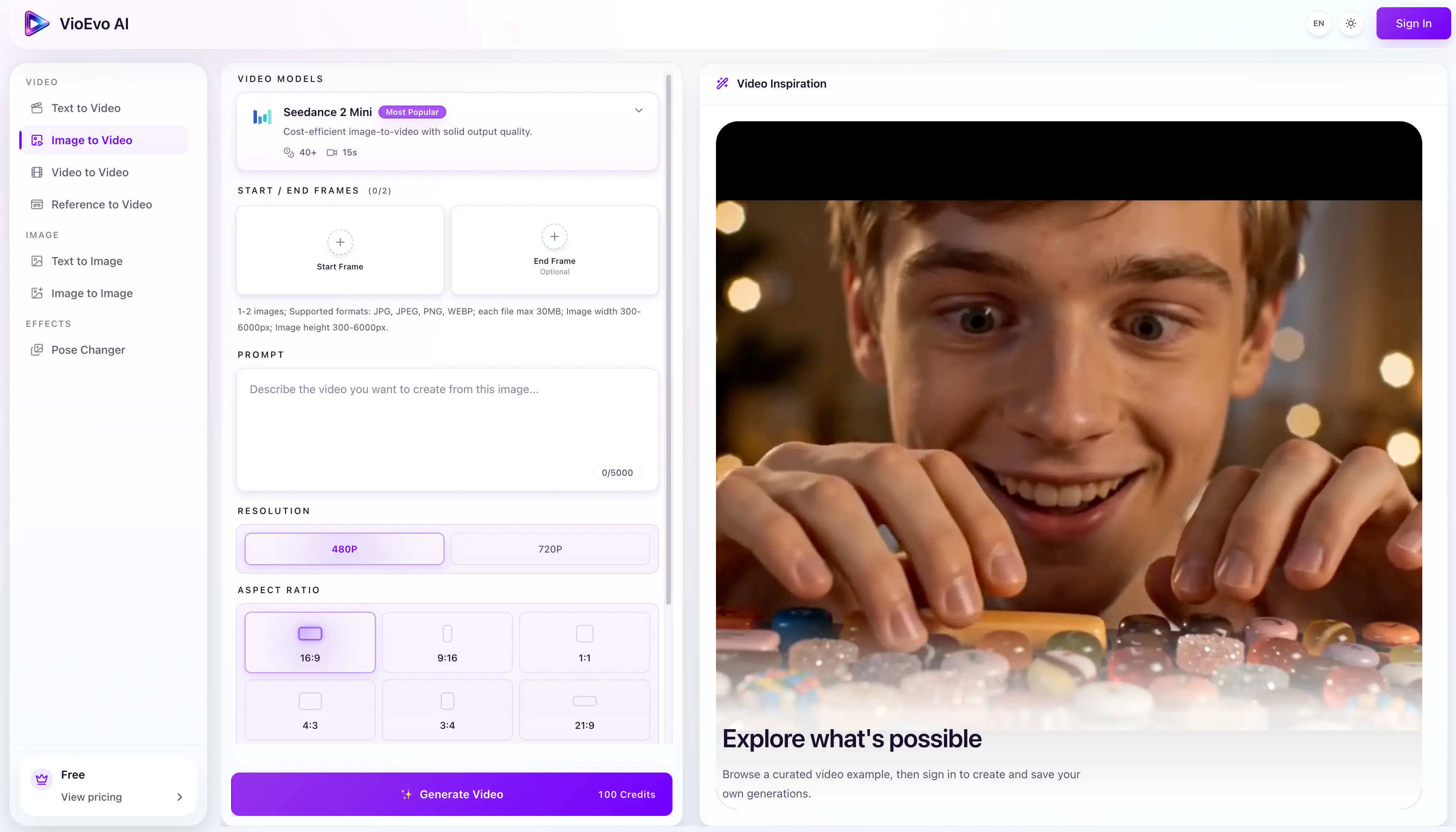
The advice on the page is also better than marketing copy usually is. It tells you to begin with modest movement, and to keep the motion gentle when the photograph is already doing most of the work. That is something you normally learn after a dozen disappointing attempts, and putting it on the page instead of letting people find out by spending credits is a small, decent thing to do.
The pose tool, and one word about consent
Alongside those six sits a set of ready-made tools, of which the pose changer is the most built out. You upload a portrait, pick from a library of more than a hundred reference poses, and it redraws the person in that position while keeping their face. There are five looks, five lighting options, output up to 4K, and a setting that copies the clothing from the reference photograph.
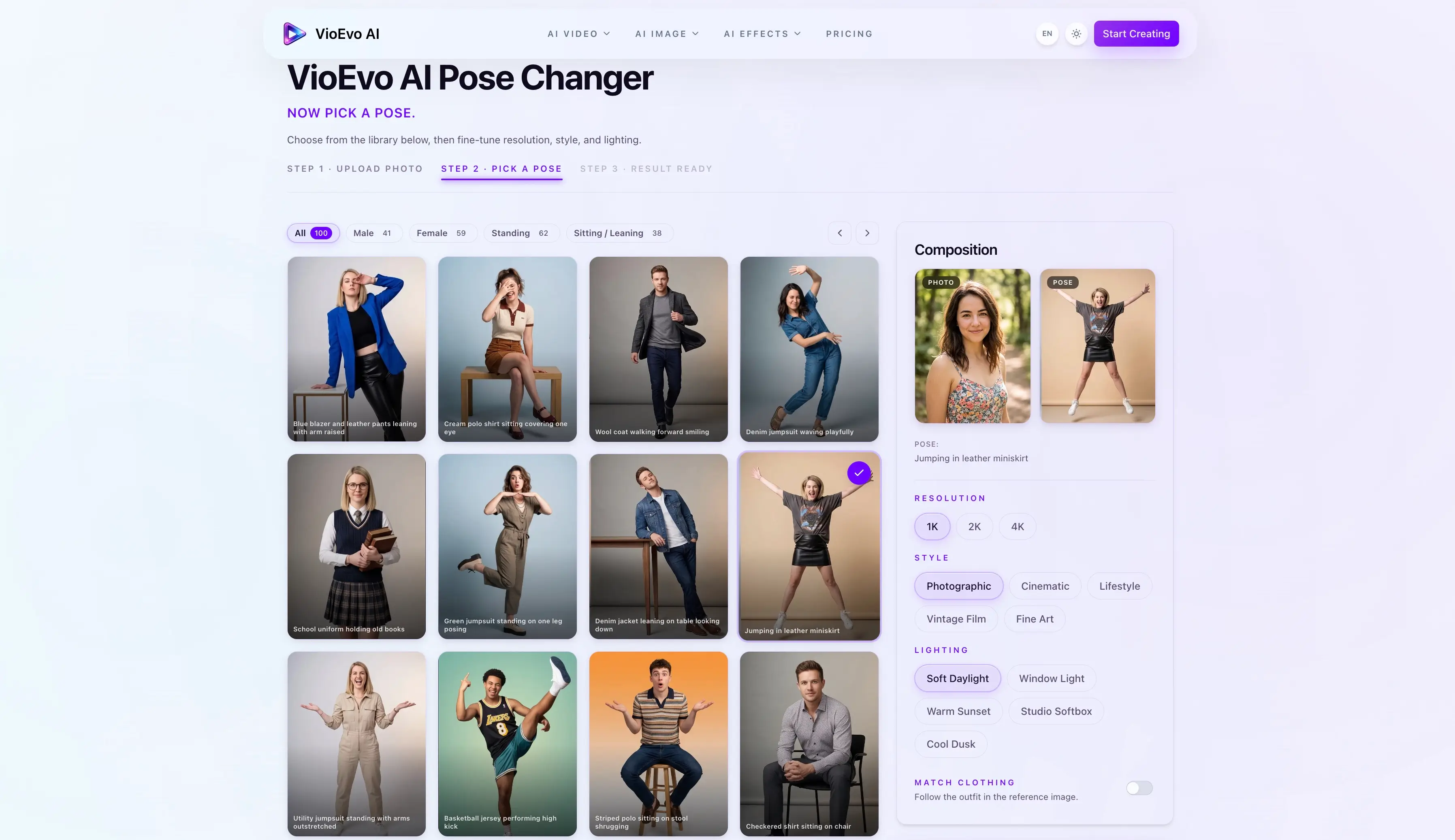
What is interesting here is not the technology, it is the packaging. Everything it does could in principle be asked for through the general image tools. Turning it into three steps with a library of poses removes the part that actually stops people, which is not the tool's ability but knowing what to ask it for. Someone chose those hundred poses, and that choosing is doing most of the work. There is a decent argument that this is exactly where a company like this should spend its time: not more models, more finished ways to use the ones it has.
One thing has to be said plainly. A tool that puts a real person into a position they were never photographed in deserves a sentence about permission, because the obvious misuse is doing it to someone who never agreed. To their credit, the rules are specific rather than decorative. They prohibit intimate images of people who have not consented, impersonation, and content that invades someone's privacy, and they reserve the right to block requests and close accounts. Photographs you upload are not used to train anything and are deleted after the picture is made. That is a firmer position than several competitors take, and it is worth saying so.
It still assumes the person uploading has the right to use the photograph. That assumption is where the real exposure sits, and nobody in this category has solved it.
What the credits buy
Three plans, cheaper if you pay for the year. Everything here is the annual rate.
| Basic | Pro | Team | |
|---|---|---|---|
| Per month | $7.90 | $23.90 | $71.90 |
| Charged yearly | $94.80 | $286.80 | $862.80 |
| Credits per month | 1,000 | 5,000 | 18,000 |
| Videos, by their estimate | up to 20 | up to 100 | up to 360 |
| Images, by their estimate | up to 66 | up to 333 | up to 1,200 |
| History kept | 180 days | 180 days | 1 year |
| Commercial use | Included | Included | Included |
| Watermark | None | None | None |
New accounts start with 150 free credits, which is enough to form an opinion.
The number worth understanding before you pay is what a credit is, because not everything costs the same. Basic advertises up to 20 videos from its 1,000 monthly credits, which works out at 50 credits each. But the model offered by default on the image page costs 120 credits a go. Choose that one and 1,000 credits is nearer eight clips than twenty.
This is not a trick. The cost appears on the button before you commit, which is the right place for it. It does mean the advertised volumes assume you are using the cheaper models, so anyone planning around the expensive ones should do the arithmetic first. Even then, a few dollars a clip compares well against every other way of producing the same thing, which is the comparison that actually matters.
Who it suits
The clearest fit is a small marketing or content team shipping visuals every week that would rather not run six subscriptions to do it. If your output is social ads, product clips for landing pages, campaign refreshes and short edits, the maths works and the image-first approach matches how that work actually turns up.
Online retail is the sharpest case inside that group. A catalogue of product photographs that needs to move is exactly the input this is built around, and the volume justifies paying monthly in a way that occasional use does not. If ecommerce is the whole of your use case, our review of Anyvids covers a rival platform that packages the same kind of models into finished jobs such as virtual try-on and product photography.
It suits you less if you know which single model you want. Going direct will cost less and give you more control. It is also not an editing suite. There is no timeline and no sequencing, so it sits before your editor rather than replacing it.
If you are curious rather than producing, the free credits are the honest way to find out. A hundred and fifty is not much, but it is enough to see whether the way it thinks matches the way you do.
Questions people ask
What does VioEvo actually do?
It gives you several video and image generators through one subscription, and organises them around what you are starting from: a written description, a photograph, an existing clip, or a reference. You choose the model on the page, adjust the settings, and it makes the file.
Does VioEvo build its own models?
No, and it says so. It is an independent platform using models made elsewhere, including Google's Veo, ByteDance's Seedance, Alibaba's Happy Horse and Wan, plus Kling, MiniMax H3 and Grok Imagine. The names on the site tell you which one you are using, not that those companies are involved with VioEvo.
How does turning a photo into a clip work?
You supply a finished picture and describe the movement you want, and the model animates it while trying to keep the subject and framing as they were. It suits product shots, portraits and social clips where the image already exists and only needs to move. Clear photographs with a distinct subject and modest movement give the most reliable results.
Can I use the results for business?
The published plans include commercial use and remove watermarks. As with any tool of this kind, that covers the platform's own terms rather than every question that follows, so anything involving recognisable people, trademarks or somebody else's brand still needs the usual checks.
Is there a free version?
New accounts get 150 credits, which is enough for a handful of clips or a few dozen images depending on which model you pick. There is no permanent free tier beyond that.
Verdict
The pitch is the list of models, and the list of models is the least interesting thing here, because it is the part any competitor can buy.
What deserves attention is everything above it. Six separate starting points instead of one prompt box. A product organised around the picture you already have rather than the blank page. Honest advice about movement placed where you need it rather than in a help article. A pose tool that solves knowing-what-to-ask-for rather than adding another feature nobody opens. Those are choices about how people work, and how people work is where a company like this either earns its money or does not.
We have not put anything through it, so we cannot tell you whether the results clear your bar. What we can say is that it is built around a correct idea about where the difficulty actually sits, which is rarer in this category than it ought to be.
Want a review like this for your own product? Order a StartupBase review.
Video Marketing
AI Image Generation







 Continue with Google