
Klarytea Mac Assistant
Run your Mac with Voice Commands
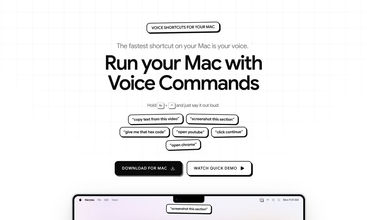
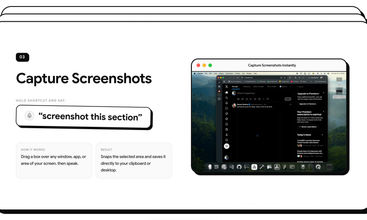



Klarytea is a lightweight Mac assistant that lets you control your computer using simple voice commands and smart screen actions.
Instead of constantly reaching for your mouse, memorizing complicated keyboard shortcuts, or retyping text by hand, Klarytea lets you:
-
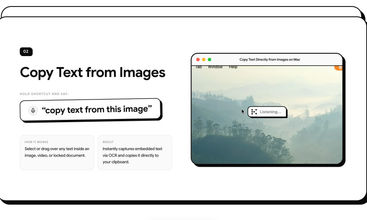
Copy text from anywhere (OCR): Say "Copy text from this" after selecting any image, YouTube video frame, scanned PDF, or locked error popup to extract text directly to your clipboard.
-
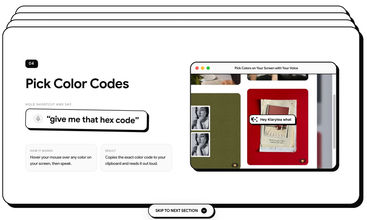
Color sampling: Hover your pointer over any pixel and ask "What color is this?" to identify the exact shade and copy its HEX code for your design tools.
-
Launch apps: Say "Open [App]" to launch and focus programs like Chrome, Slack, or Notes.
-
Hands-free typing: Say "Type [Message]" to insert formatted sentences directly into any active text box.
-
Instant voice corrections: Say "Delete last sentence", "Backspace", or "Clear all" to edit mistakes without touching the keyboard.
-
Insert emojis: Say "Insert [Emoji name]" (e.g., "Insert fire emoji", "Insert laughing face") to drop emojis into chats and posts instantly.
Built natively for macOS, Klarytea runs fast, stays out of your way, and helps you get things done without breaking your focus.


Trending Products
View all









Social links
 X
Outrank
 🥇
aelívra
A personalised wellbeing platform that combines health records, symptoms, wearables, and evidence-based protocols for sleep, energy, nutrition, stress, and recovery.
 🥈
AdFlame
Pre-test TikTok, Meta, and YouTube Shorts ads with simulated AI buyers to spot weak hooks, viewer drop-off, and safe-zone issues before spending.
 🥉
The Board
A public leaderboard where brands buy ranked spots, show a logo and link, and compete for attention through bids and takeovers.



 Continue with Google