Levers for Mac
Change sixty Mac settings from your menu bar, in one click
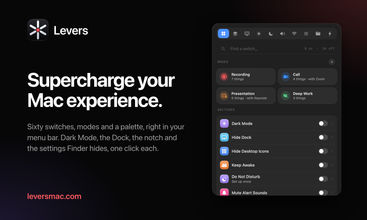
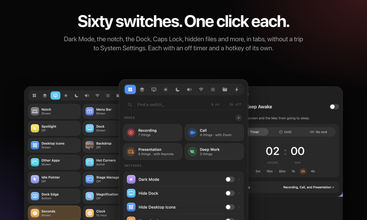
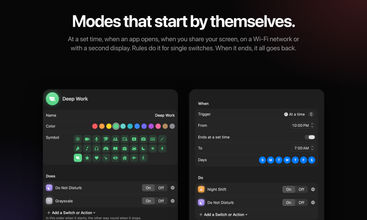
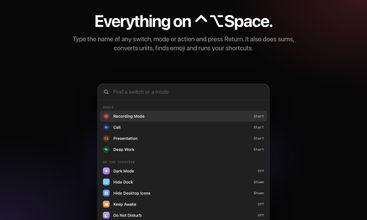
Levers is a menu bar app for the Mac settings you change every day. Sixty switches and actions sit one click away, in tabs: Dark Mode, Hide the Notch, the Dock’s position, Hot Corners, Remap Caps Lock, Show Hidden Files, Keep Awake, Low Power Mode, Lock Screen, Empty Trash, and more. Each switch has a hotkey, an off timer, and an action in the Shortcuts app. Press ⌃⌥Space in any app to find any switch or mode from the keyboard.
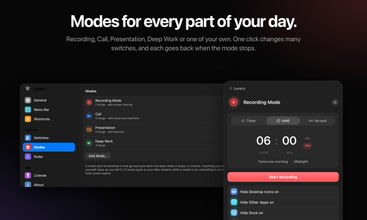
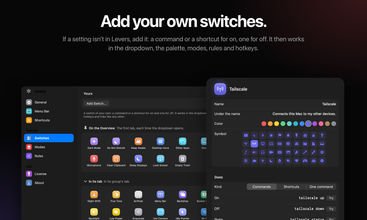
Modes change many settings at once, and put them all back after: one for calls, one for presenting, one for deep work, or your own. A mode can start by itself at a set time, when an app opens, when you share your screen, on a Wi‑Fi network, with a second display, or on battery. If a setting isn’t there, add your own switch with a command or a shortcut.
Recording Mode gives you a clean screen every time you share or record it. It hides your desktop files, the Dock, other apps, and menu bar icons, and turns on Do Not Disturb. When you stop, everything goes back as it was.
New in 1.4: Snow on your desktop for the holidays. It’s never in a screen share, and it turns itself off on 7 January.
Pay once, from $9 at launch, with every update for life. 3-day free trial and a 14-day refund.


Trending Products
View all










Outrank
 🥇
aelívra
A personalised wellbeing platform that combines health records, symptoms, wearables, and evidence-based protocols for sleep, energy, nutrition, stress, and recovery.
 🥈
The Board
A public leaderboard where brands buy ranked spots, show a logo and link, and compete for attention through bids and takeovers.
 🥉
ScholarSail
AI study tools for students that turn notes into mind maps, spaced-repetition flashcards, and 3D memory palaces while organizing focused work.


 Continue with Google